

Panels
Ticket panels is the main way a user interacts with your ticket categories. You can have up to 2 panels in a free plan Discord Server.The quickest way to set up panels is via the dashboard as it lets you preview how the panel will look like and overall has better user experience than in Discord.Example of a published Ticket Panel
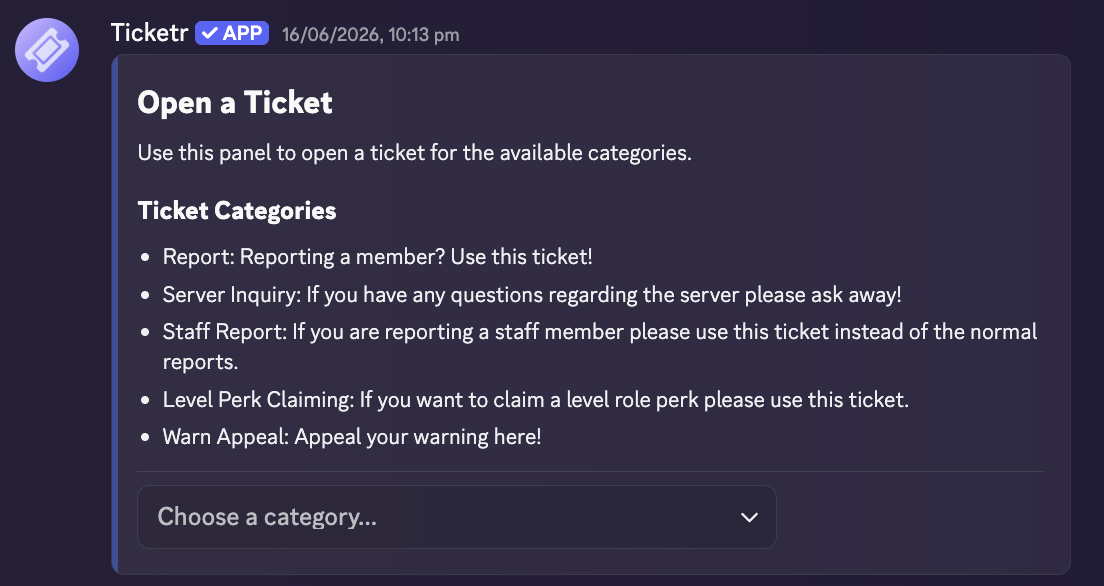
If you have a panel with a single category connected to it, you unlock the
option to customize how the open ticket button looks.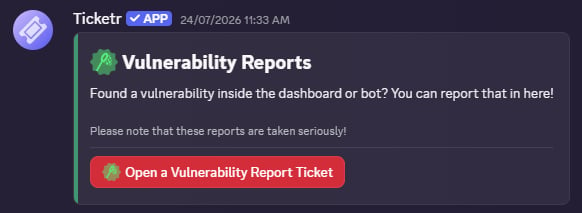
Panel Settings
Channel
required
Where to deploy the channel
TicketCategories[]
required
Array of created ticket categories to connect and display on the panel.
Having a single category connected to a panel will display a single button.
Markdown
The message to display on the panel. Supports markdown!
General styling settings for your ticket panels.
General styling settings for your ticket panels.
Categories
Categories are the backbone of your Ticketr setup. At least one category is required to build a panel.Category Setings
string
required
The display name shown on your ticket selection menu.
Emoji | Emoji Snowflake
The emoji to add to the category. You are allowed to use emojis from other
servers that Ticketr is in. Unicode emojis are also allowed.
string
required
Custom template for channel/thread titles.
See Supported Variables in Ticket Name Format
Channel | Thread
default:"Thread"
required
Determines whether tickets open as private threads or standalone channels.
boolean
default:"false"
When enabled, ticket channels will be marked as age-restricted. Per Discord’s age groups, users who are labeled as teen or unknown will not be able to view this tickets.
Only available for Ticket Types that are set to Channel. To use with threads, you must have the parent channel set as age-restricted.
number
default:"0 (infinite)"
required
Maximum concurrent open tickets a single member can have in this category.
boolean
default:"false"
required
Whether to mention members with a specified Manager Role when a ticket is
created.
Role[]
required
Specific Discord roles pinged upon ticket creation. These roles will be able
to view said ticket.
Role[]
Roles explicitly blocked from opening tickets in this category.
Role[]
required
Roles granted permissions to answer and manage tickets in this category.
Embed | Text
The greeting message posted inside the ticket immediately after creation.
boolean
default:"true"
Enables or disables the default open-ended description input.
ModalField[]
Modal components prompted before the ticket opens. You can only have a
maximum of 5 per Discord’s limitation. The default description component is
counted as 1 of the 5 components. This can be disabled.
It is recommended that you see Modal Components
Supported Variables in Ticket Name Format
Ticket Name Format supports different variables since v1.0. It is recommended that you build a ticket name like “si-foreverably” instead of relying on all 3 variables.The name of the ticket category.
The username of the person that opened the ticket.
# of the ticket that was opened.